Google Apps
Google Apps and Drive are great free applications provided by Google. You can store information in the cloud, share files, and prepare, edit, and publish documents, spreadsheets, and presentations.
You can also get links to share albums of photos - click to see some photos I took last week.
Blogger is one of my favorite Apps. A blog is probably where you are reading this. A Blog is a website - free from google.
You can have up to 100 blogs per gmail address. You can tell people about your family, your interests, or you can write the Great American Novel.
That is enough for now. Go and surge forth.
Feb 1, 2016 - To download the free app Google Drive - free online storage from Googleby Google, Inc., get iTunes now. ... Get started with Google Drive for free and have all your files within reach from any smartphone, tablet, or computer. All your files in Drive – like your videos, photos, and ...
It is a bit confusing at first but over time I have really grown to like it. Go ahead and try it.
First thing to do is get a gmail address. Go to gmail.com and create your account. You can use any set of numbers and letters that you want for your address. I just use my name - if I forget that I won't need Google Drive any longer.
craighullinger@gmail.com
After you have created your gmail account, log in and go to the 9 little black boxes in the upper right hand corner of your screen.

Click on that and you will find a box like the one to the right. These are applications that Google provides for free. And there are more apps, but these will do for now.
The Calendar App is easy. Just click on it and go to work. If you use gmail on your phone you can also get the app and see the same calendar on your phone. And your can sync your calendar with your spouses or coworkers calendars so that you are all singing from the same sheet of music.
Google gives you 15 gigabytes of free storage. That may last you for life. You can buy more than that for a modest sum. The storage is spread across documents, photos, and emails.
On the Drive you can store documents, spread sheets, files of any sort, and photos. This is of course handy - keep copies on your PC and in the cloud and have 100% backup. And of course you can keep your handy dandy back up hard drive and have 200% backup. You can store any kind of document or photo.
You can also download a copy of Google Drive on to your PC, your pad, and your phone. All the copies should stay in sync - update or add a document from device and it will update on the cloud and you can access it from your other devices. Or from any PC in the world if you log into your gmail account.
Incidentally, I used to use a very simple password for my gmail account - I figured if I got hacked it did not matter. But now I have a lot of info on my drive so I have memorized a more complex password. You can easily remember your more compex password by using your old simple password and add a number of !! or @@ or numbers to it.
Googe Photos is also very nice. If you use a cell phone with your gmail address, you can set it up to automatically upload to the cloud every photo that you take. Then you can distribute the photos to Facebook, Twitter, Blogs, etc etc.

Click on that and you will find a box like the one to the right. These are applications that Google provides for free. And there are more apps, but these will do for now.
The Calendar App is easy. Just click on it and go to work. If you use gmail on your phone you can also get the app and see the same calendar on your phone. And your can sync your calendar with your spouses or coworkers calendars so that you are all singing from the same sheet of music.
Google gives you 15 gigabytes of free storage. That may last you for life. You can buy more than that for a modest sum. The storage is spread across documents, photos, and emails.
On the Drive you can store documents, spread sheets, files of any sort, and photos. This is of course handy - keep copies on your PC and in the cloud and have 100% backup. And of course you can keep your handy dandy back up hard drive and have 200% backup. You can store any kind of document or photo.
You can also download a copy of Google Drive on to your PC, your pad, and your phone. All the copies should stay in sync - update or add a document from device and it will update on the cloud and you can access it from your other devices. Or from any PC in the world if you log into your gmail account.
Incidentally, I used to use a very simple password for my gmail account - I figured if I got hacked it did not matter. But now I have a lot of info on my drive so I have memorized a more complex password. You can easily remember your more compex password by using your old simple password and add a number of !! or @@ or numbers to it.
Googe Photos is also very nice. If you use a cell phone with your gmail address, you can set it up to automatically upload to the cloud every photo that you take. Then you can distribute the photos to Facebook, Twitter, Blogs, etc etc.
You can also get links to share albums of photos - click to see some photos I took last week.
Blogger is one of my favorite Apps. A blog is probably where you are reading this. A Blog is a website - free from google.
You can have up to 100 blogs per gmail address. You can tell people about your family, your interests, or you can write the Great American Novel.
That is enough for now. Go and surge forth.
Some of my blogs below:
Google Drive - free online storage from Google on the App ...
Google Drive - Wikipedia, the free encyclopedia
For Google Drive to synchronize files between the user's computer and Google Drivestorage, the Google Drive 'client' software must be running on the user's ...
Users: 240 million (October 2014)
Available in: 68 languages
Launched: April 24, 2012; 3 years ago
South Suburban Airport - Third Airport For Chicago
Map above from 2013, map below February 2016
Planning and land purchase continues for the Third Airport for Chicago. The map above shows the progress of land acquisition.
Planning for the airport has been underway for over forty years. My wife and I worked on this issue for many years.
It is of course very controversial. Many of the people who live in or near the site are very opposed. Other people see the airport as the economic engine for the south side of Chicago.
The area is at the south end of the Chicago developed metro area, bounded by Crete, University Park, Monee, Peotone, and Beecher. I-57 is on the west side, I-294/Rt 1 on the east side, and the new I-355 Tollway would be on the north side.
A considerable amount of land has been acquired for the initial airport. It probably will not be developed until the economic recovery creates additional demand for air traffic. O'Hare and Midway are of course very busy and congested and Chicago is the major Hub for the United States.
I prepared the Land Use Plan Map and local transportation improvement plan above. The Plan is a mosaic of the plans of Will and Kankakee County and the Villages of Crete, Monee, University Park, Peotone, Beecher, Manteno, and Grant Park.
The web sites below tell more about the airport.
http://www.southsuburbanairport.com/
http://en.wikipedia.org/wiki/Proposed_Chicago_south_suburban_airport
http://www.suntimes.com/news/14080173-418/top-idot-official-says-third-airport-will-be-built.html
The web sites below tell more about the airport.
http://www.southsuburbanairport.com/
http://en.wikipedia.org/wiki/Proposed_Chicago_south_suburban_airport
http://www.suntimes.com/news/14080173-418/top-idot-official-says-third-airport-will-be-built.html
Corridors of the Future
Developing new transportation routes is incredibly difficult and expensive. We normally reach the decision to go forward with a new major road after traffic becomes intolerable. By then acquisition of the land is very expensive and difficult.
It makes sense to plan for and acquire the corridor of the future long before it is needed. In simple terms we need to project populations increases and assess the need. It would of course make sense to acquire the corridor long before it is needed, while land values are lower. But developing a consensus on where the corridor should be located and when to acquire the corridor is very difficult.
Florida is working on long range corridor planning. The links below show the progress to date.
Florida is of course developing very rapidly on both coasts. It seems logical that new interstate routes should be developed inland from both coasts.
There is a good argument for combining the road corridor with public utility and environmental corridors. So instead of acquiring a 300 feet wide corridor for the interstate, it may make sense to acquire a wider corridor. Uses of the corridor right of way would be used for the road, possible future transit routes, open space protection, trails and bikeways, flood control and wetland mitigation, and gas pipelines and electric utilities.
It makes sense to plan for and acquire the corridor of the future long before it is needed. In simple terms we need to project populations increases and assess the need. It would of course make sense to acquire the corridor long before it is needed, while land values are lower. But developing a consensus on where the corridor should be located and when to acquire the corridor is very difficult.
Florida is working on long range corridor planning. The links below show the progress to date.
Florida is of course developing very rapidly on both coasts. It seems logical that new interstate routes should be developed inland from both coasts.
There is a good argument for combining the road corridor with public utility and environmental corridors. So instead of acquiring a 300 feet wide corridor for the interstate, it may make sense to acquire a wider corridor. Uses of the corridor right of way would be used for the road, possible future transit routes, open space protection, trails and bikeways, flood control and wetland mitigation, and gas pipelines and electric utilities.
East Central Florida Corridor Task Force
The Future Corridors initiative is a cooperative effort between FDOT and statewide, regional, and local partners to envision and plan the future of Florida's major ...
Citizen Diplomacy - The Sister Cities Story
I work with the Sarasota Sister Cities Association. It is a great organization. I handle the social media. Our report and addresses shown below:
February 2016 Social Marketing Report
![]() |
| Tel Mond, Israel Dancers in Sarasota Feb 17, 2016 |
We publish our schedules, info and photos on our Newsletter Blog - click:
Facebook facebook.com/SarasotaSisterCities
Twitter twitter.com/#!/SarasotaSisterC
LinkedIn linkedin.com/in/sarasotasistercities
Pinterest pinterest.com/sarasotasister
Our web site: sarasotasistercities.org
I dream of things that never were, and ask why not?”
Excellent Guidance For Planners
“There are those that look at things the way they are, and ask why? I dream of things that never were, and ask why not?”
― Robert F. Kennedy, Robert Kennedy in His Own Words: The Unpublished Recollections of the Kennedy Years
Subscribe to:
Posts (Atom)
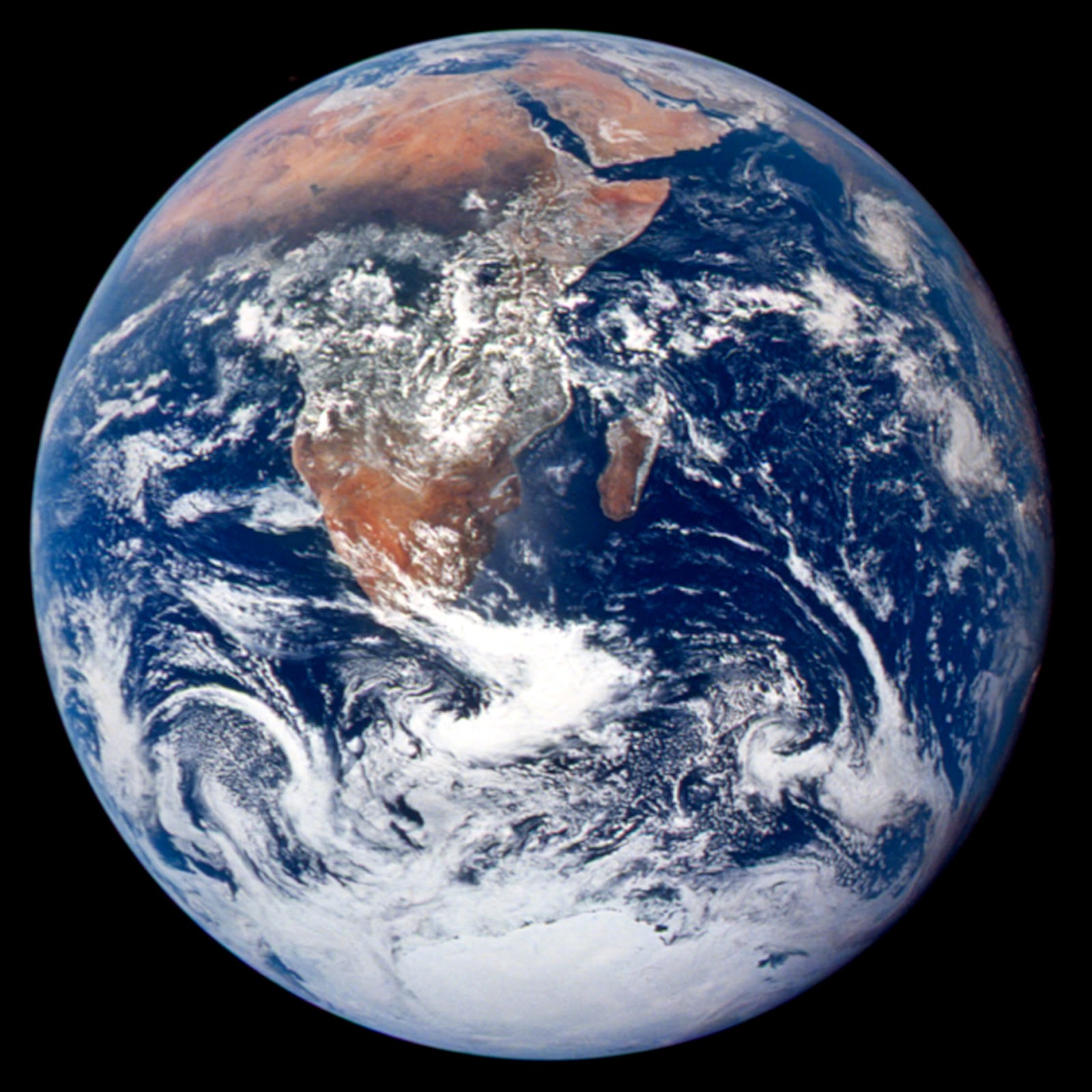
This blog was created to Plan the Planet. It is a work in progress - please click here if you wish to propose changes or additions or ask q...
-
This blog was created to Plan the Planet. It is a work in progress - please click here if you wish to propose changes or additions or ask q...
-
Major European cities overlaid on North America, corrected for the identical latitude ( click to view full sized ): North American cities,...
-
Pete Pointner FAICP, ALA, ITE is publishing a new blog. A wealth of material for planners. Click to view the blog: www.petepointner.com NEED...


